DPS Meter
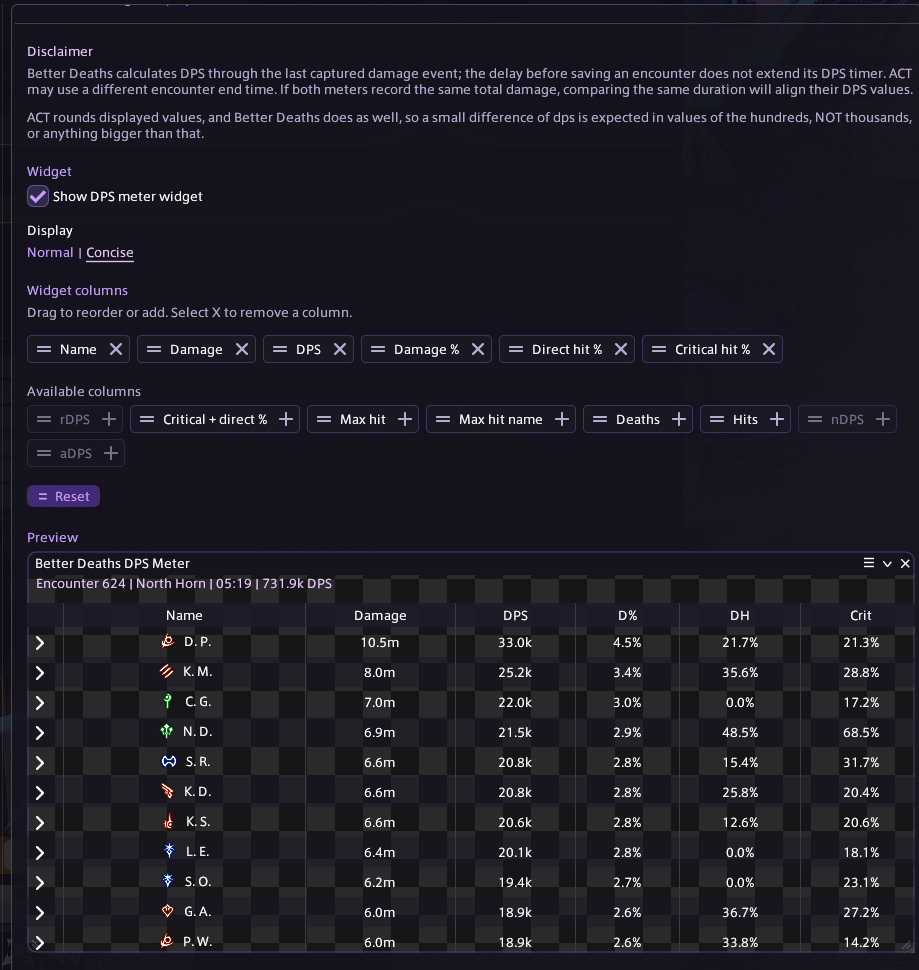
Track live damage and DPS, expand player abilities, choose and reorder columns, and inspect saved encounters without replacing the live widget.
FFXIV Dalamud plugin
Review deaths and mitigation, track damage with a customizable DPS meter, revisit saved encounters, and replay captured pulls without leaving the game.
Better Deaths connects death review, damage tracking, mitigation context, replay, and supported mechanic analysis so the useful parts of a pull stay together.
Track live damage and DPS, expand player abilities, choose and reorder columns, and inspect saved encounters without replacing the live widget.
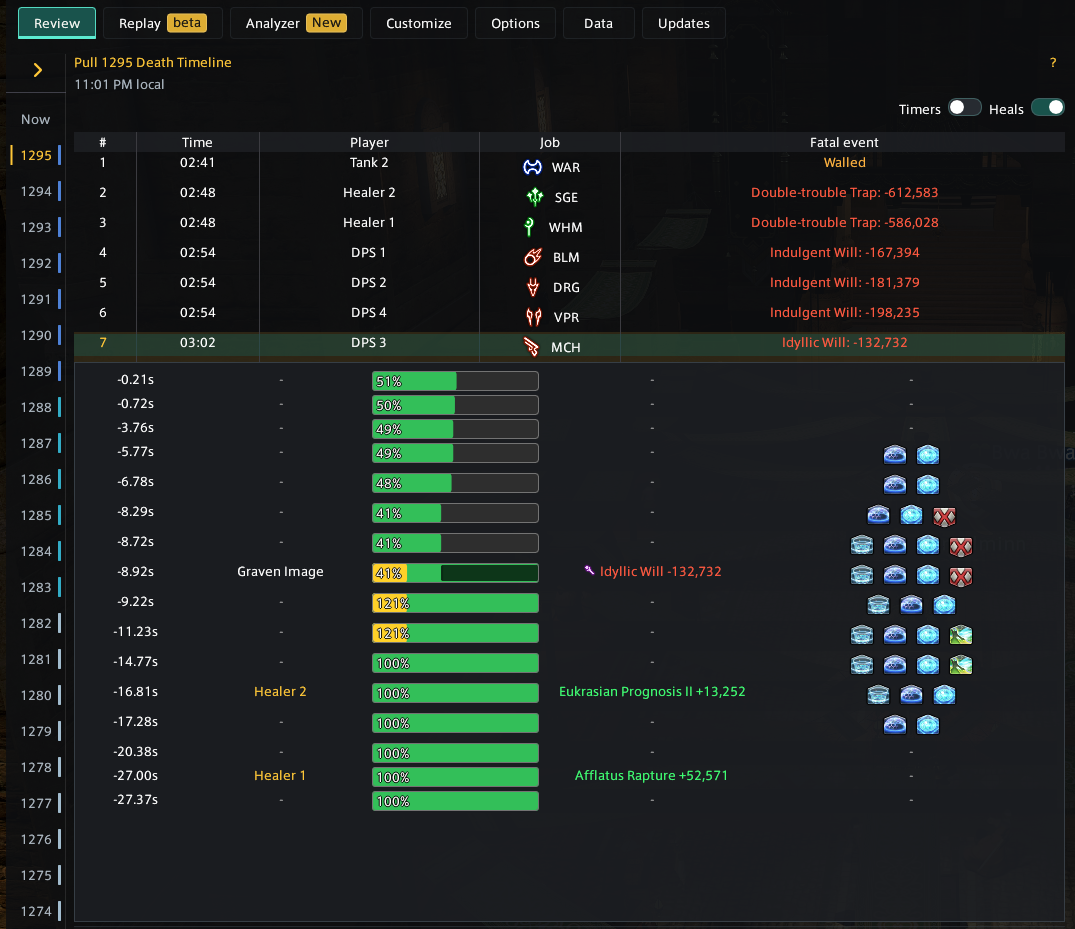
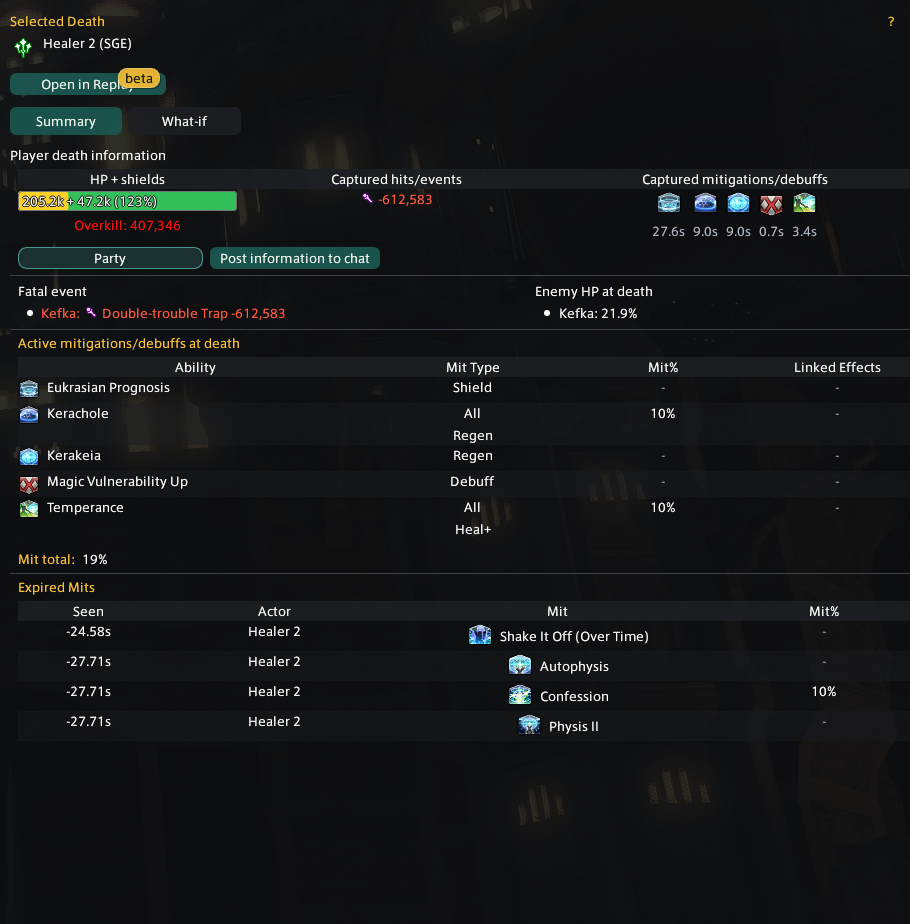
See the fatal event, HP plus shields, mitigation context, expired effects, enemy HP, and up to one minute of lead-up data for each KO.
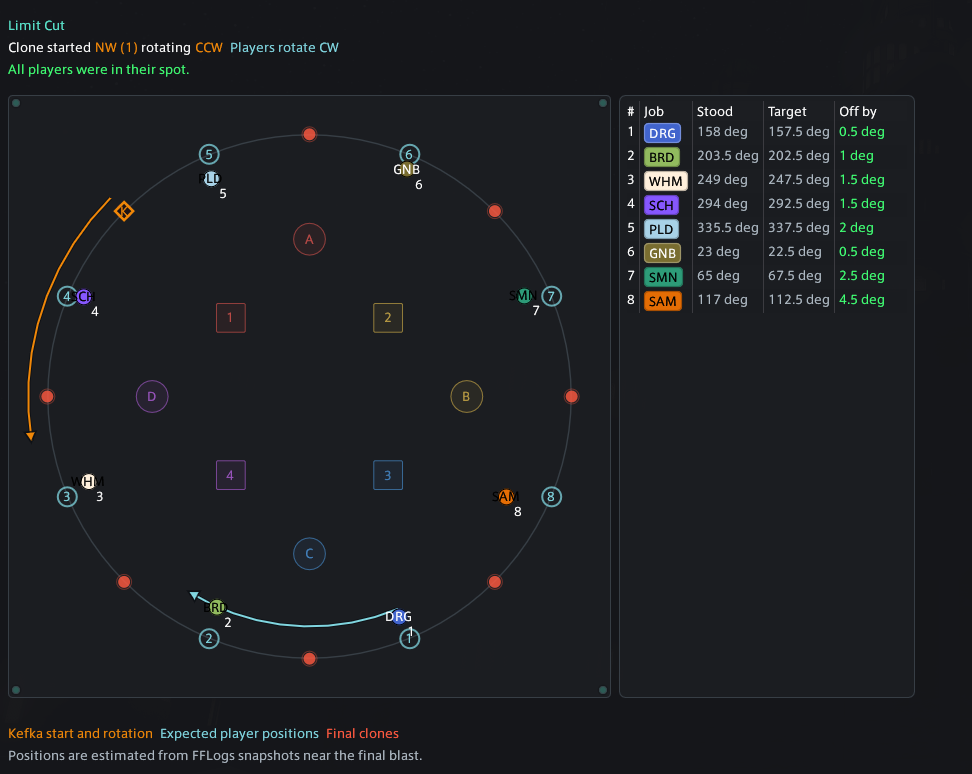
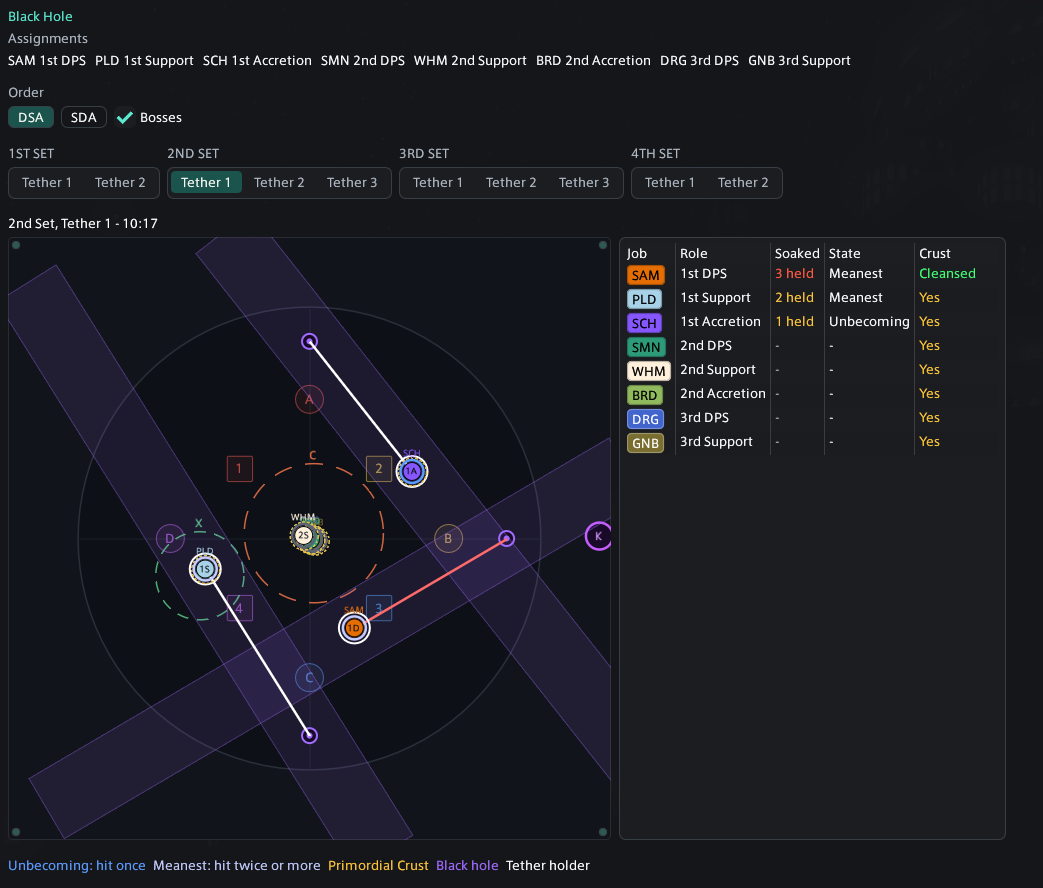
Analyze supported Dancing Mad mechanics from an eligible Better Deaths pull or an FFLogs report link, with mechanic-specific diagrams and assignments.
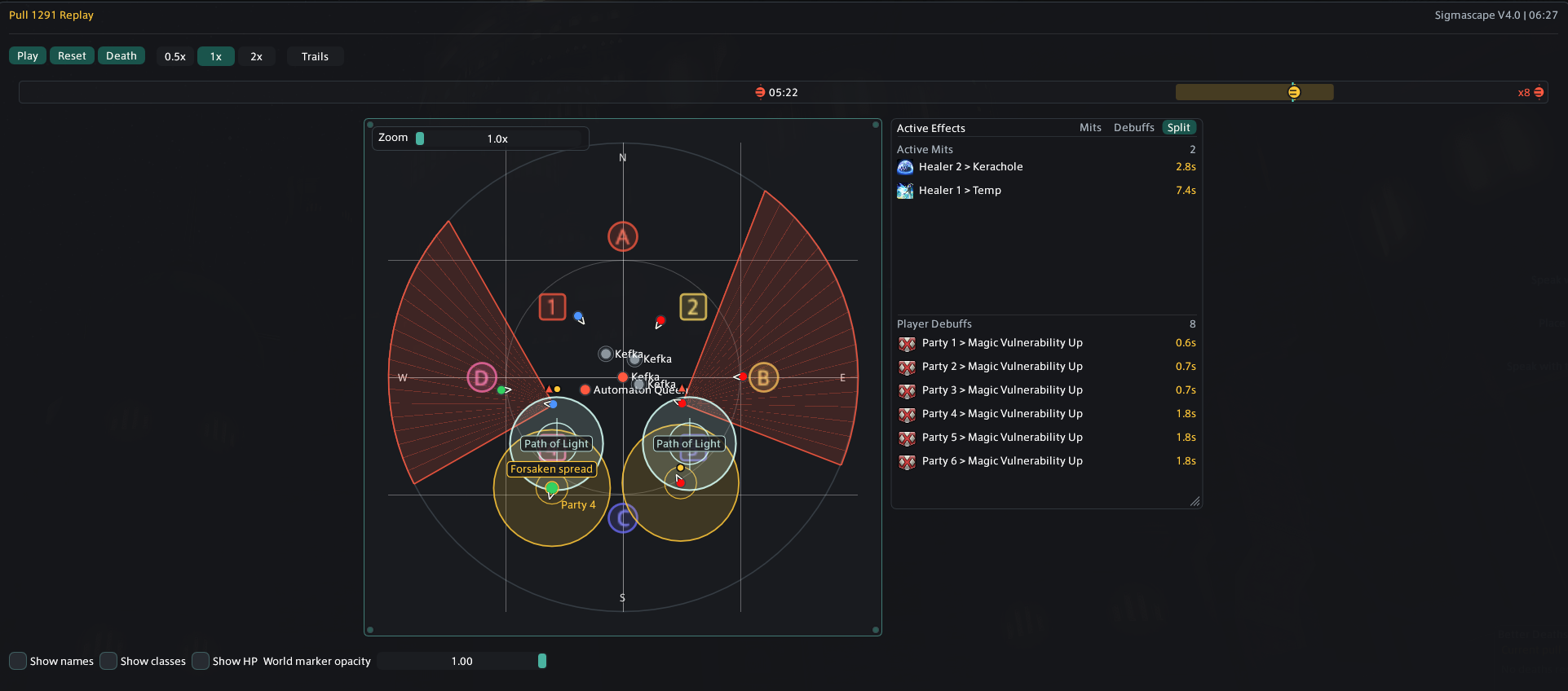
Play through captured positions, movement, markers, active effects, and supported mechanic shapes around a selected death.
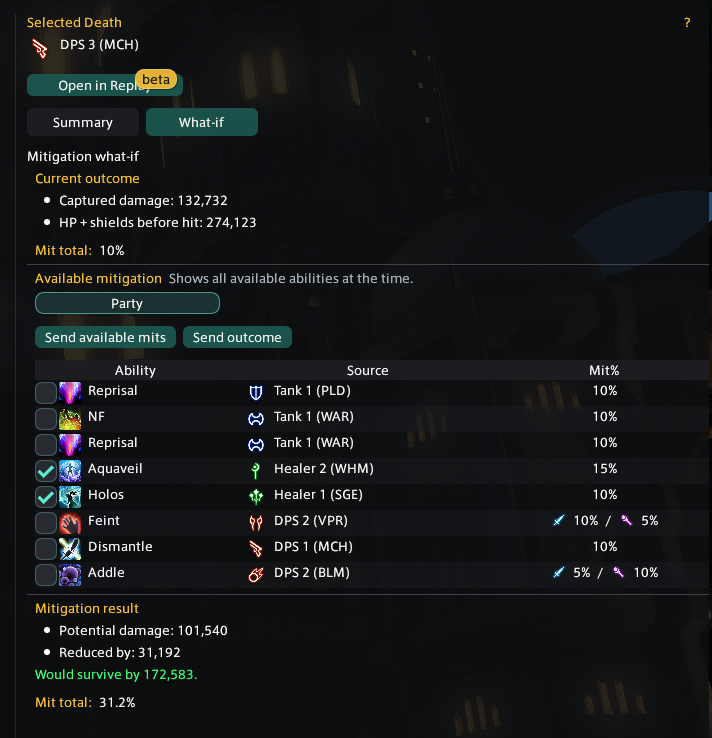
Select available mitigation and compare the projected damage against the recorded fatal hit before changing the next pull's plan.
Keep a compact current-pull death list open during progression, then open the latest recap directly when a closer review is needed.
Match the plugin to your UI, redact names for screenshots, and share concise death information through optional in-game chat posts.
Better Deaths does not upload captured pulls. It has no telemetry, analytics, feedback endpoint, or hidden network reporting. When you choose FFLogs Link in WTF.DIG, only the report reference needed for that lookup is sent to the analyzer service.
Recorded pulls stay on your machine so they remain available after wipes, resets, reloads, or plugin updates.
Saved review pulls can include names, jobs, duty details, death timing, HP, shields, events, actions, statuses, and mitigation context. Damage encounters also retain player and ability totals for later review.
Name Redaction helps with screenshots and shared display, but local saved pull files may still contain the original captured names.
Explore the views used throughout the Help Center, with player names redacted or shortened to initials.
Add the custom plugin repository in Dalamud, then install Better Deaths from the plugin installer.
https://puni.sh/api/repository/nainai
Open Repo JSON
Death recap capture works inside duties. The DPS Meter also records overworld combat. PvP capture is not supported.
/betterdeaths /bd /bdw /bdm /bdr
/betterdeaths and /bd open the main death recap window. /bdw toggles the Death Widget. /bdm toggles the DPS Meter widget without stopping capture or resetting the encounter.
/bdr saves and resets the active DPS meter encounter in the overworld. Manual resets are unavailable inside duties; saved encounters are kept.